
Updated: July 2026
The best Mac screen recorders in 2026 are Screen Studio for polished auto-zoomed tutorials, CleanShot X for all-in-one capture and annotation, and OBS Studio for free multi-source recording and live streaming. If you want cinematic auto-zoom and smooth cursor paths without paying, Retina is the strongest free option, and QuickTime Player is the zero-setup choice already built into your Mac. Which one is right depends on whether you value automatic polish, control, or price.
Retina is made by BlendPixel, the publisher of this site. The facts below about every other tool are verified against each vendor's own website, linked inline.
Quick comparison
| Tool | Price | Free tier | Standout feature | Best for |
|---|---|---|---|---|
| Screen Studio | Paid (subscription; lifetime option; see screen.studio) | No | Automatic cinematic zoom that follows your cursor | Tutorial creators who want polish with no editing |
| CleanShot X | $29 one-time (1 Mac) | No (30-day money-back) | 50+ capture tools in one app | Mac power users who want capture, annotate, and share in one place |
| Loom | Free; Business $18/user/mo | Yes (25 videos, 5-min cap) | Instant shareable video links | Teams doing quick async video updates |
| QuickTime Player | Free (built into macOS) | Yes (fully free) | Zero-setup recording, nothing to install | Occasional no-frills captures |
| OBS Studio | Free (open source) | Yes (fully free) | Multi-source scenes and live streaming | Streamers and power users who want full control |
| Retina | Free (beta) | Yes | Cinematic auto-zoom and smooth cursor, 4K export | Creators who want auto-zoomed recordings for free |
Screen Studio
Screen Studio is a macOS-only recorder built around automatic cinematic zoom: it follows your cursor, highlights clicks, and produces tutorial-style videos with no manual editing. It is a paid tool sold on a subscription model, with a one-time license option that has been available historically. Check screen.studio for current pricing, since it varies by plan and changes over time. Best for tutorial creators and developers who want polished, auto-zoomed recordings without post-production. Source: screen.studio.
CleanShot X
CleanShot X is a macOS-only capture suite that bundles more than 50 features, including scrolling capture, annotation, OCR, screen recording with a webcam overlay, and cloud sharing. It is a one-time purchase starting at $29 for one Mac, which includes a year of updates, with a 30-day money-back guarantee and no free trial. Best for Mac power users and support or design teams who want a single tool to replace their screenshot, annotation, GIF, and sharing apps. Source: cleanshot.com/buy.
Loom
Loom is a cross-platform tool (Mac, Windows, iOS, Android, and a Chrome extension) built for quick async video messages that turn into instantly shareable links with viewer comments and reactions. Its free Starter plan allows up to 25 videos with a 5-minute cap per video, and the Business plan is $18 per user per month with an AI tier at $24. Best for teams and remote workers who need fast async video communication rather than polished tutorials. Source: loom.com/pricing.
QuickTime Player
QuickTime Player is free and built into every Mac, so it records your screen with zero setup and no account. The tradeoff is that it cannot capture internal system audio, and it offers no zoom, cursor effects, webcam overlay, or editing beyond a basic trim. Best for occasional, no-frills recordings where nothing needs to be installed and quality expectations are basic. Source: Apple's QuickTime screen recording guide.
OBS Studio
OBS Studio is free, open source, and available on macOS, Windows, and Linux. Its strength is a fully composited multi-source scene system with cameras, windows, browser sources, and overlays, plus simultaneous local recording and live streaming. It has no auto-zoom or cursor polish and a steep learning curve. Best for streamers, podcasters, and power users who want maximum control over complex setups. Source: obsproject.com.
Retina
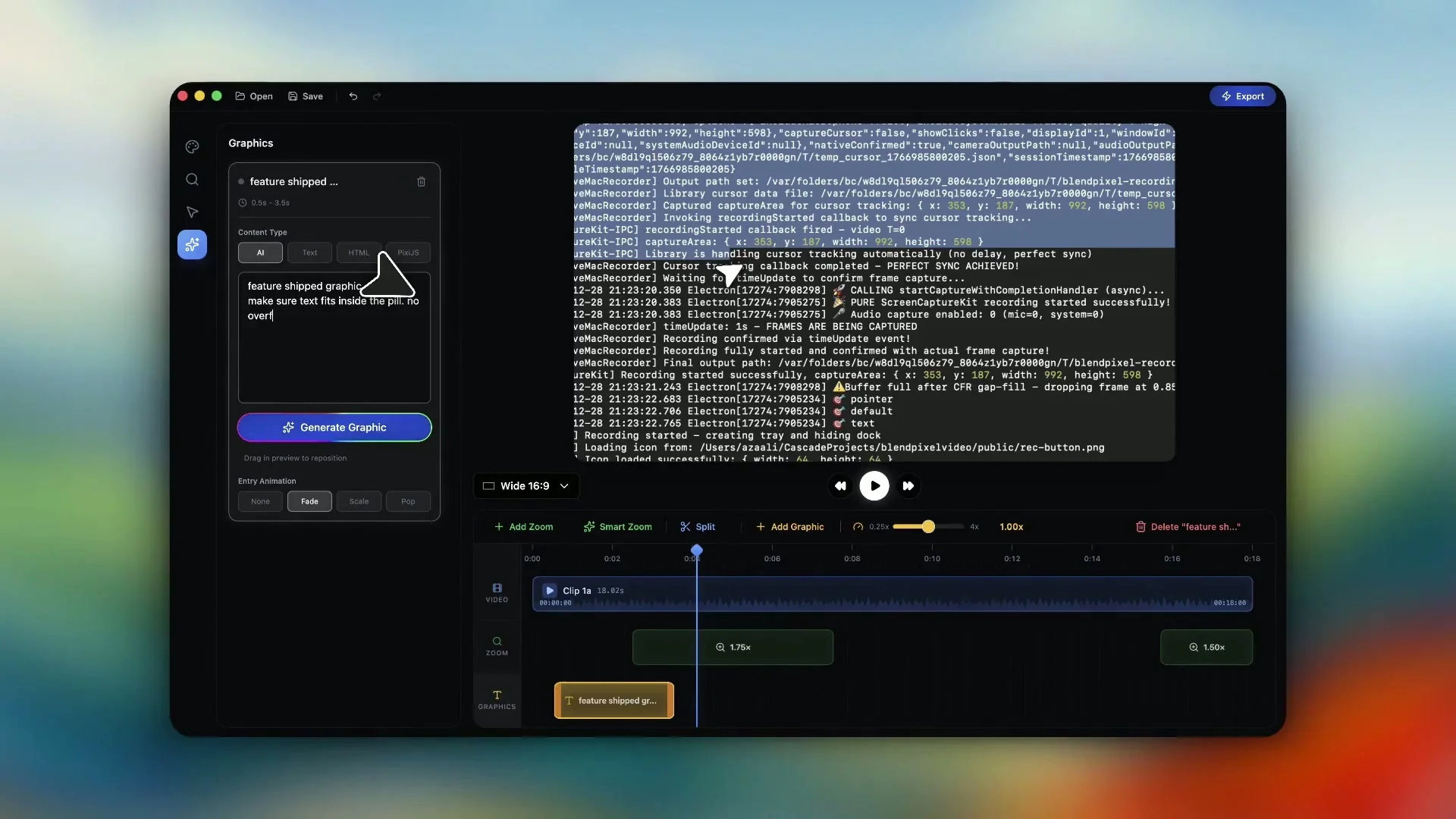
Retina is a macOS screen recorder from BlendPixel focused on cinematic auto-zoom, automatic cursor smoothing, and 4K export with optimized file sizes. It is currently in beta and free to download for Mac. Best for creators who want the auto-zoomed, polished look without paying for a subscription. See the Retina product page for the current download. Source: blendpixel.com/products/retina.
FAQ
What is the best free Mac screen recorder in 2026?
For zero-setup basics, QuickTime Player is free and already on your Mac. For a polished, auto-zoomed result at no cost, Retina is the strongest free option. For multi-source recording and live streaming, OBS Studio is free and open source.
Which Mac screen recorder has automatic zoom?
Screen Studio and Retina both add cinematic auto-zoom that follows your cursor. Screen Studio is a paid subscription tool; Retina is currently free in beta.
Can QuickTime record internal system audio on a Mac?
No. QuickTime Player cannot capture internal system audio because of a macOS privacy restriction, so it records microphone input only. Tools like OBS Studio or a paid recorder can capture system audio.
What is the difference between Loom and Screen Studio?
Loom is built for fast, shareable async video messages across Mac, Windows, and mobile, with a generous free tier. Screen Studio is macOS only and built for polished, auto-zoomed tutorials, and it is a paid tool with no free tier.
Is OBS Studio good for tutorials?
OBS Studio can record high-quality tutorials and is free, but it has no auto-zoom or cursor polish and a steep learning curve. If you want an automatically polished tutorial with less effort, Screen Studio or Retina fit better.
Which Mac screen recorder exports in 4K?
Retina exports in 4K with optimized file sizes. OBS Studio and paid tools like Screen Studio and CleanShot X also support high-resolution recording depending on your display and settings.